
Login process
If you have been approved for external processing of measures or a self-assessment, you will receive an e-mail notification with all the necessary information.
The AuditCloud portal with the self-assessment can now be accessed via a direct link in the email or the access link in the AuditCloud:
For a more detailed introduction to the topic of self-assessment, please play the video.
Carry out the self-assessment
Once you have completed the login process, it is now possible to complete the self-assessment.
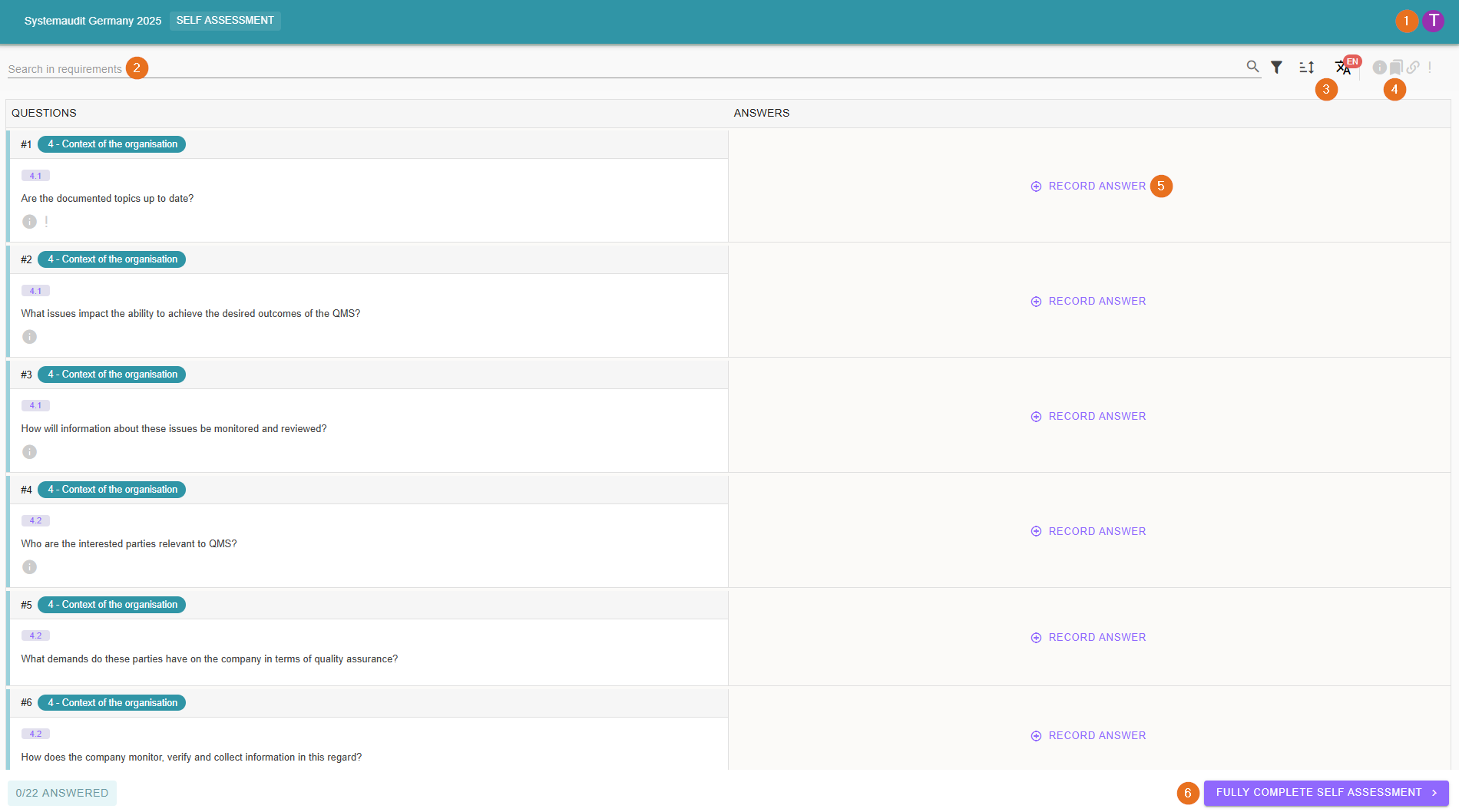
1 - Change language
For multilingual question lists (German and English), you can change the language for your user by clicking on your avatar.
2 - Search requirements
As you already know from the implementation, all questions can be searched here.
3 - Filtering and sorting
During the self-assessment, you can also make adjustments to the sorting or filtering.
4 - Bulk display of additional information
Here you can display or hide additional information such as tags, notes, required evidence or links for all questions at the same time.
5 - Record answer
Similar to the findings in the implementation, image and sound files as well as all other file types can be attached to an answer in the self-assessment.
Don't forget to save your answer using the Save button. When you save, the answer is displayed directly in the audit.
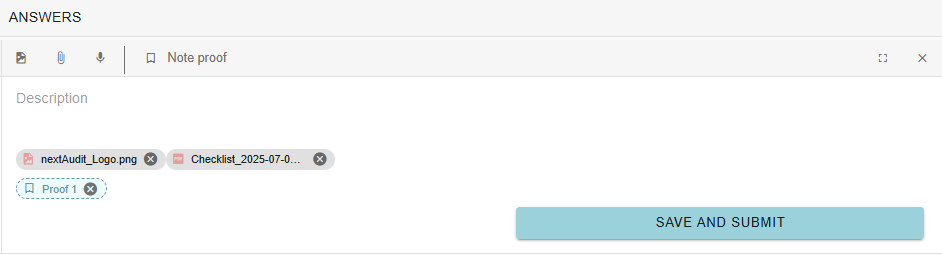
You can attach a proof to your answer with “Note proof”. You can then simply rename it by clicking on it.
6 - Complete the self-assessment
Complete the self-assessment as soon as you are finished.