
If you have been authorised to carry out external processing of measures or a self-assessment, you will receive an email notification containing all the necessary information.
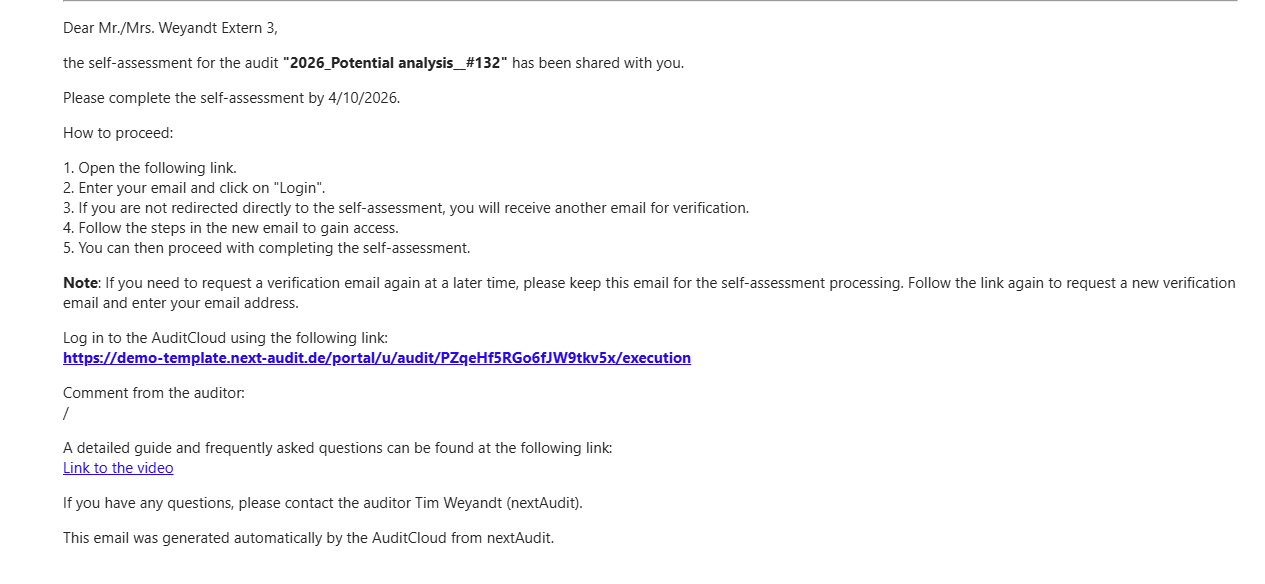
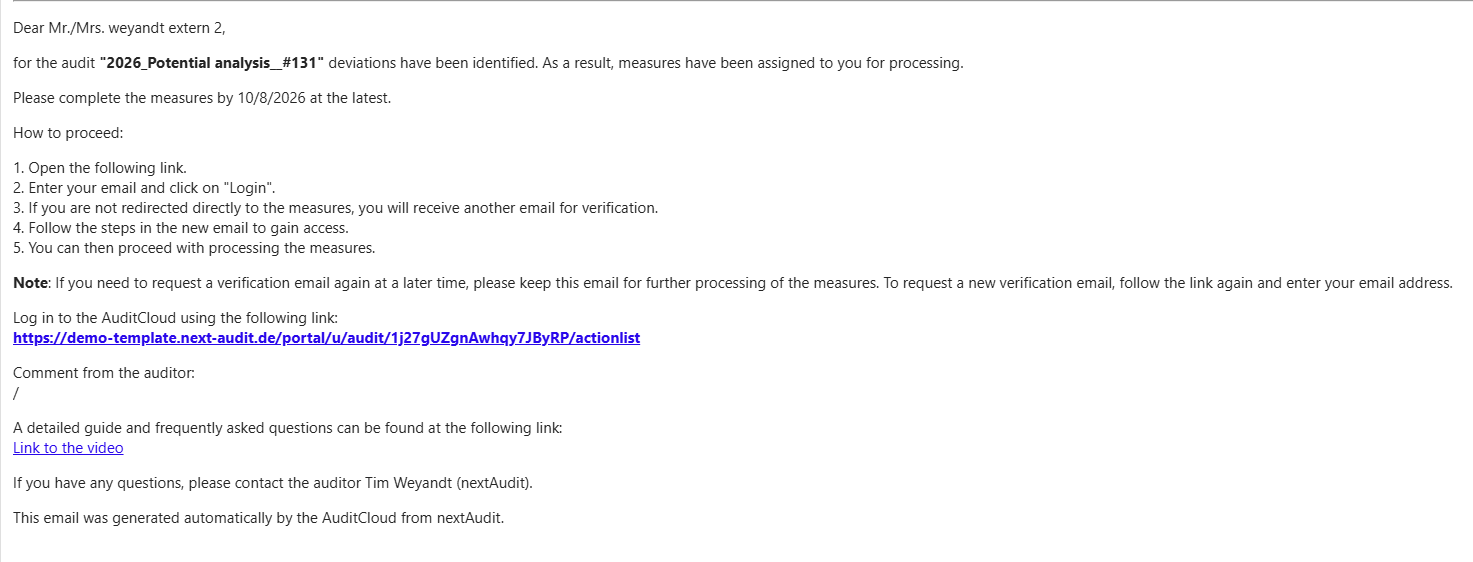
Follow the steps listed in the email to gain access to the AuditCloud Portal.
Following the link and entering the email
To do this, first open the link provided in the email, which will take you to the initial login page.
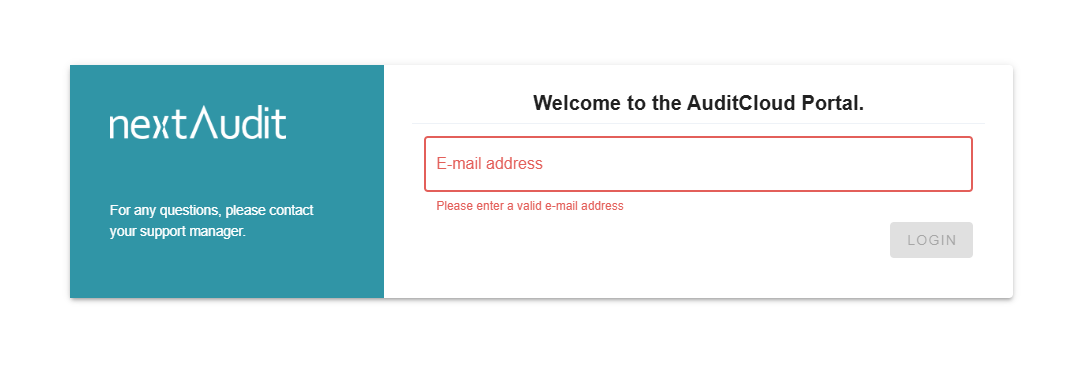
At this point, you will need to enter your email address in the field provided and click the ‘Login’ button.
If you have never logged in via the AuditCloud Portal before, you will be sent a further email with instructions for final verification.
Opening the new email and following the link
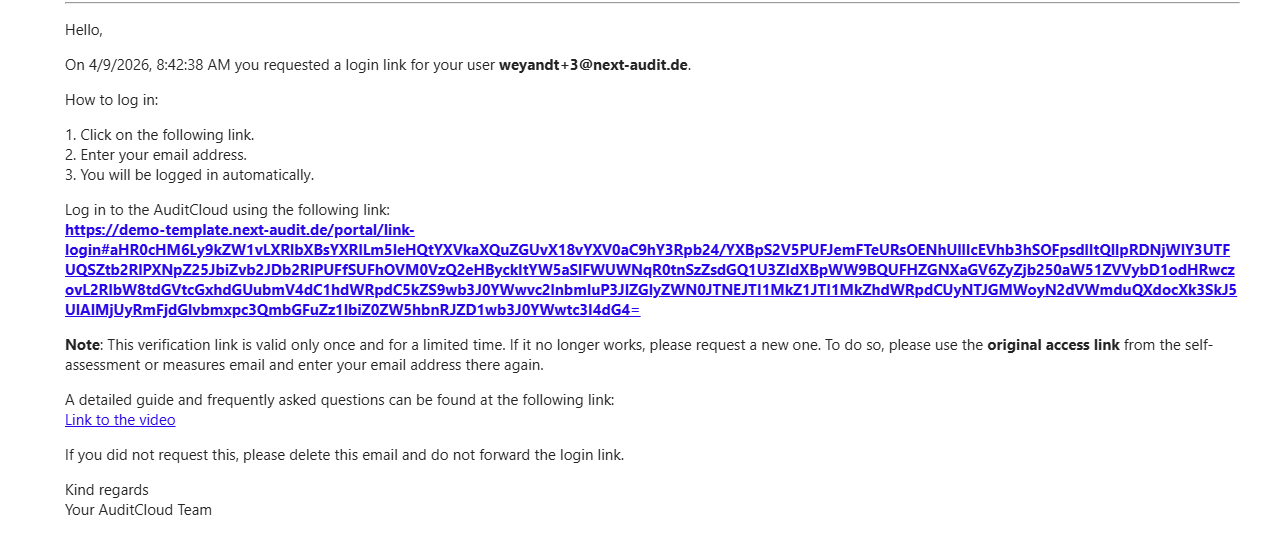
Follow the steps in the email again. Open the login link and enter your email address again. You will now be automatically logged in to the AuditCloud Portal and have access to the self-assessments or actions that have been approved for you. You can now continue with the process.
FAQ – I can’t log in. What should I do?
Have I clicked on the correct link?
The link to the AuditCloud portal can be found in your invitation email for the self-assessment or processing of measures. Click on the blue text under “Log in to the AuditCloud using the following link”:
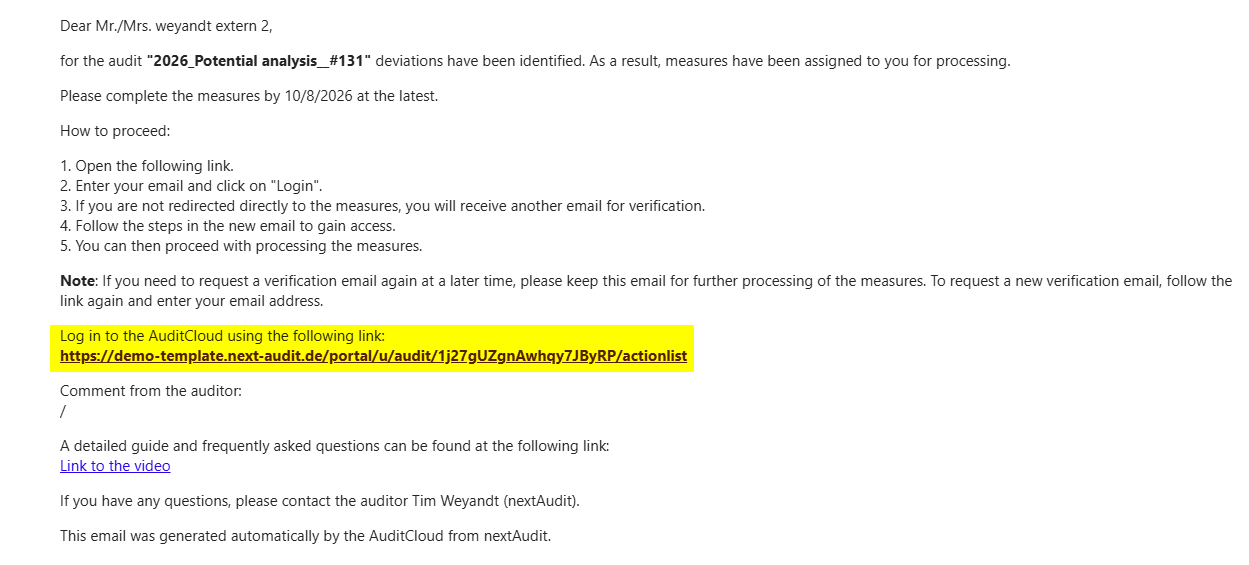
You can then follow steps two to five in the email.
IMPORTANT: The URL (in the link) must contain /portal/. If you see /app/ in your link, you will not be able to log in since your access is restricted to the portal.
Has the link expired?
If the link from the verification email no longer works, this may be because it has expired. The verification link is only valid once and for a limited time, and must therefore be requested again for each subsequent login.
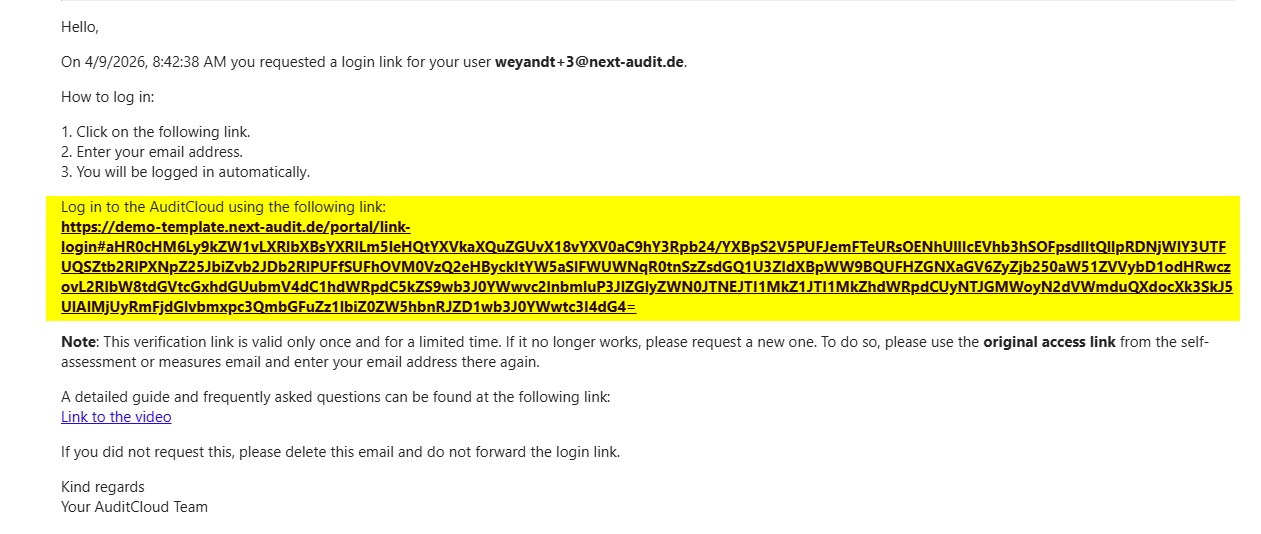
To request the verification link again, you can repeat steps one and two in your invitation email for the self-assessment or processing of measures.
I am logged into the portal, but I cannot see any actions?
Please click on the activation link in your invitation email for the self-assessment or processing of measures again.