
This release will be deployed starting
Updating the spider web diagram
-
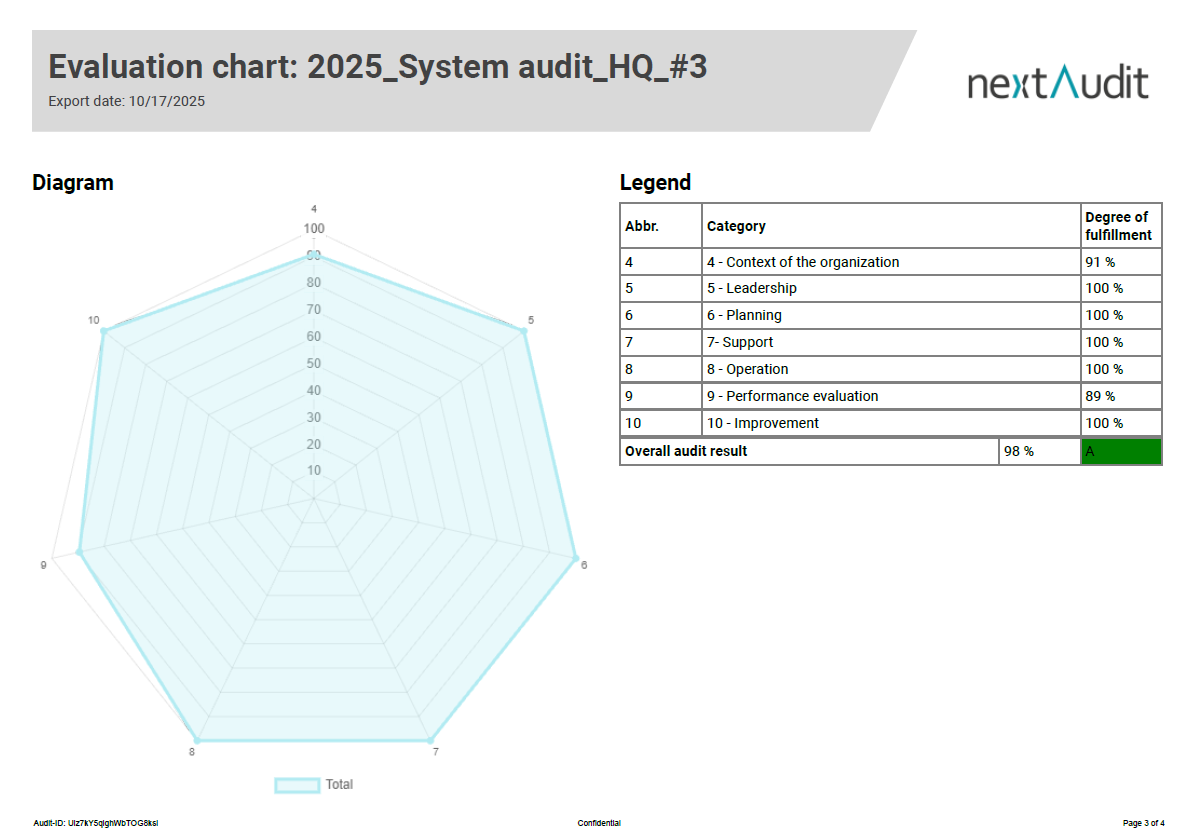
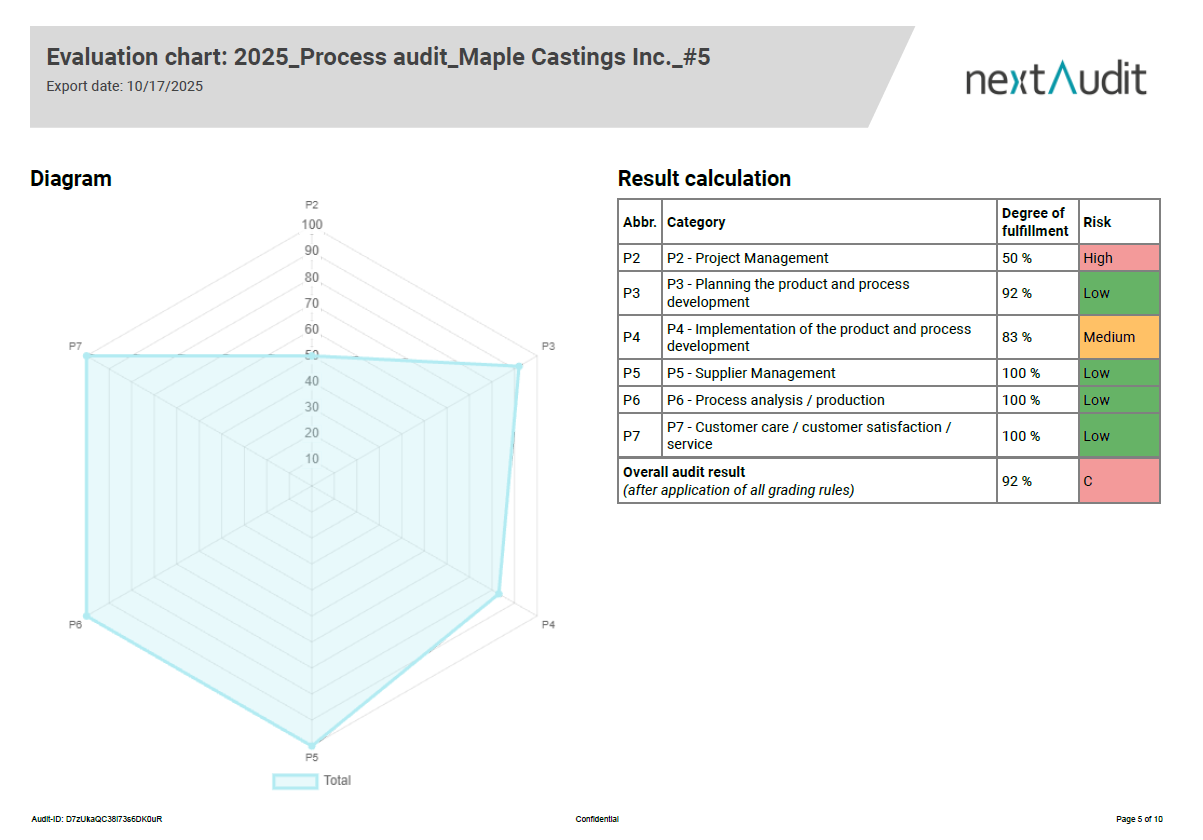
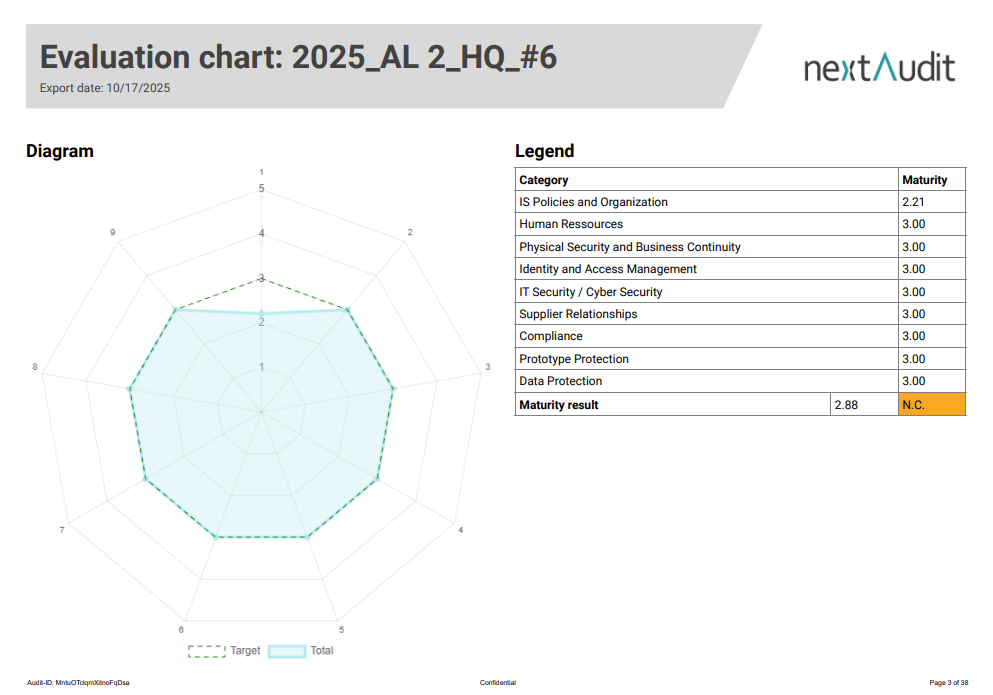
The spider web diagram has been given a facelift, offering you further customisation options.
-
The legend contains four columns that can be shown or hidden. The columns contain the category abbreviation, the category name, the degree of fulfilment and a risk column.
-
You can also specify whether the overall result and the risks should be highlighted in colour.
-
The overall result can also be hidden.
-
The previous spider chart will be deactivated at the end of Q1. Until then, you can contact us to customise your spider chart according to your preferences.
Improved selection of external persons
-
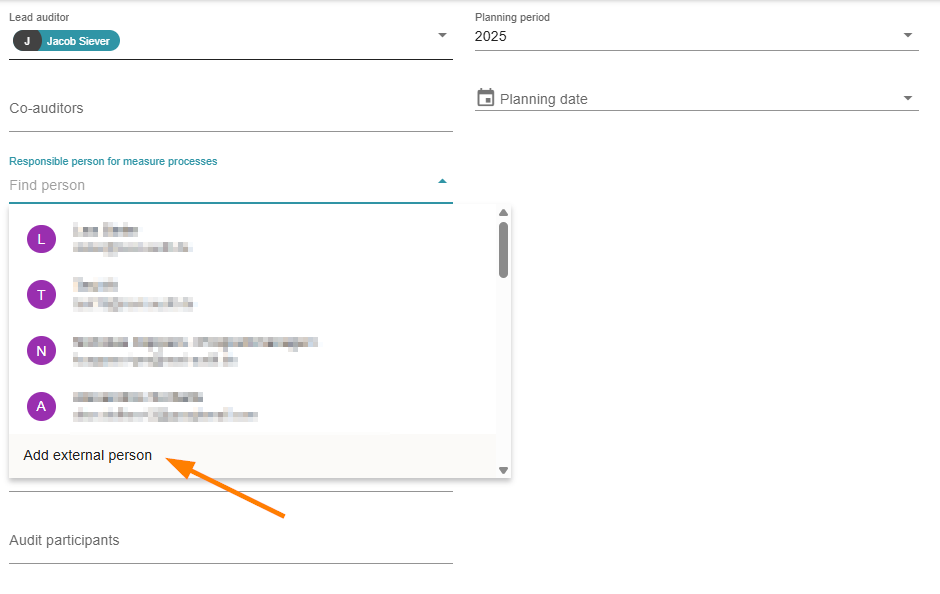
The selection of external persons is now always visible at the bottom of the list of persons.
-
This means that there is significantly less scrolling required during supplier audits.
-
By the way: For person fields where only internal colleagues are entered, the ‘Add external person’ selection can also be removed.
Intelligent self-assessment deadline
-
The suggested deadline for completing a self-assessment is now always the planned date.
-
Previously, the default was 14 days, which led to frequent extensions of the approval period.
-
If the audit is to last several days, the day on which the audit starts is displayed in advance.
Filtering of free findings
-
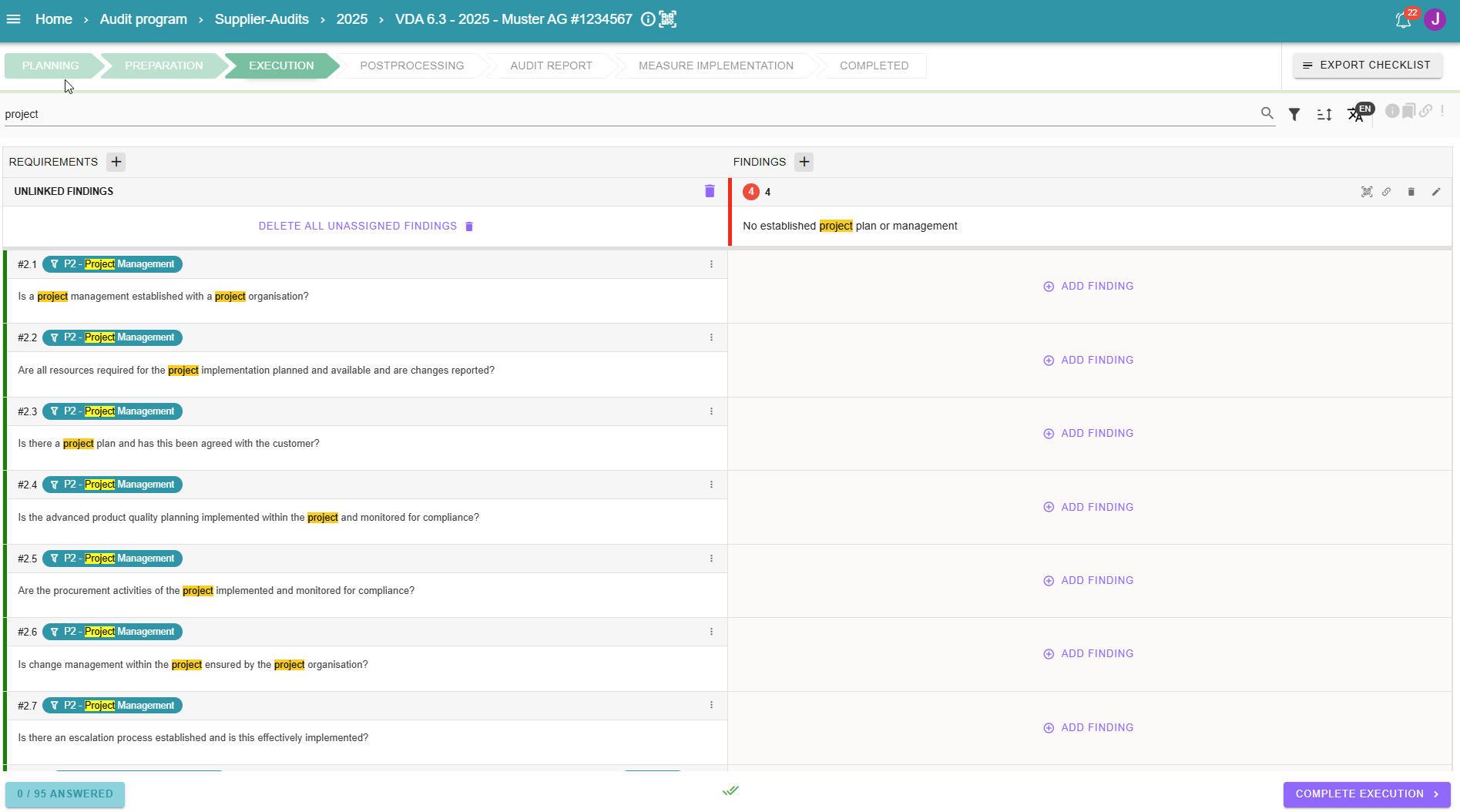
Free findings are now also filtered and sorted.
-
This allows you to always focus on the essentials.
Further improvements
-
If there are breaks in the questions, findings or measures, these are now also displayed in the measures table.
-
Rejected improvement measures can now be reset by administrators.