
In the audit preparation, the question list is selected and individual questions or question categories are selected and/or excluded. If the self-assessment is activated, the questions or categories can be selected for the self-assessment. In addition, you can assign filterable information, so-called tags, to one or more questions. Auditors can also attach notes to questions that are only visible to them.
The preselection differs between using/not using the self-assessment:


1 - Select question list
Select a question list from the drop-down menu. As soon as this is selected, the categories (a kind of chapter structure of the audit) and labels (filterable information) are displayed.
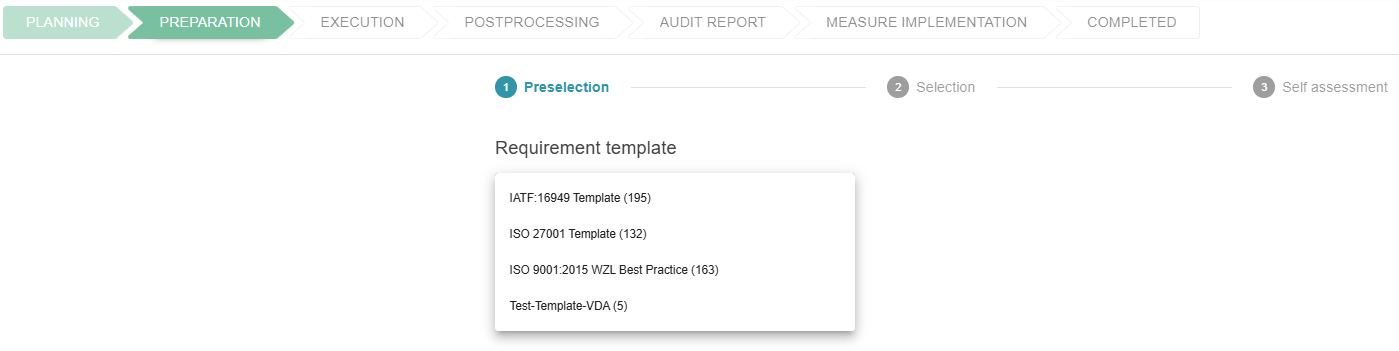
Preselection: Exclude categories in bundles
Individual categories can then be selected and deselected with one click. Deselect a category as a test. A deselected category is grayed out:
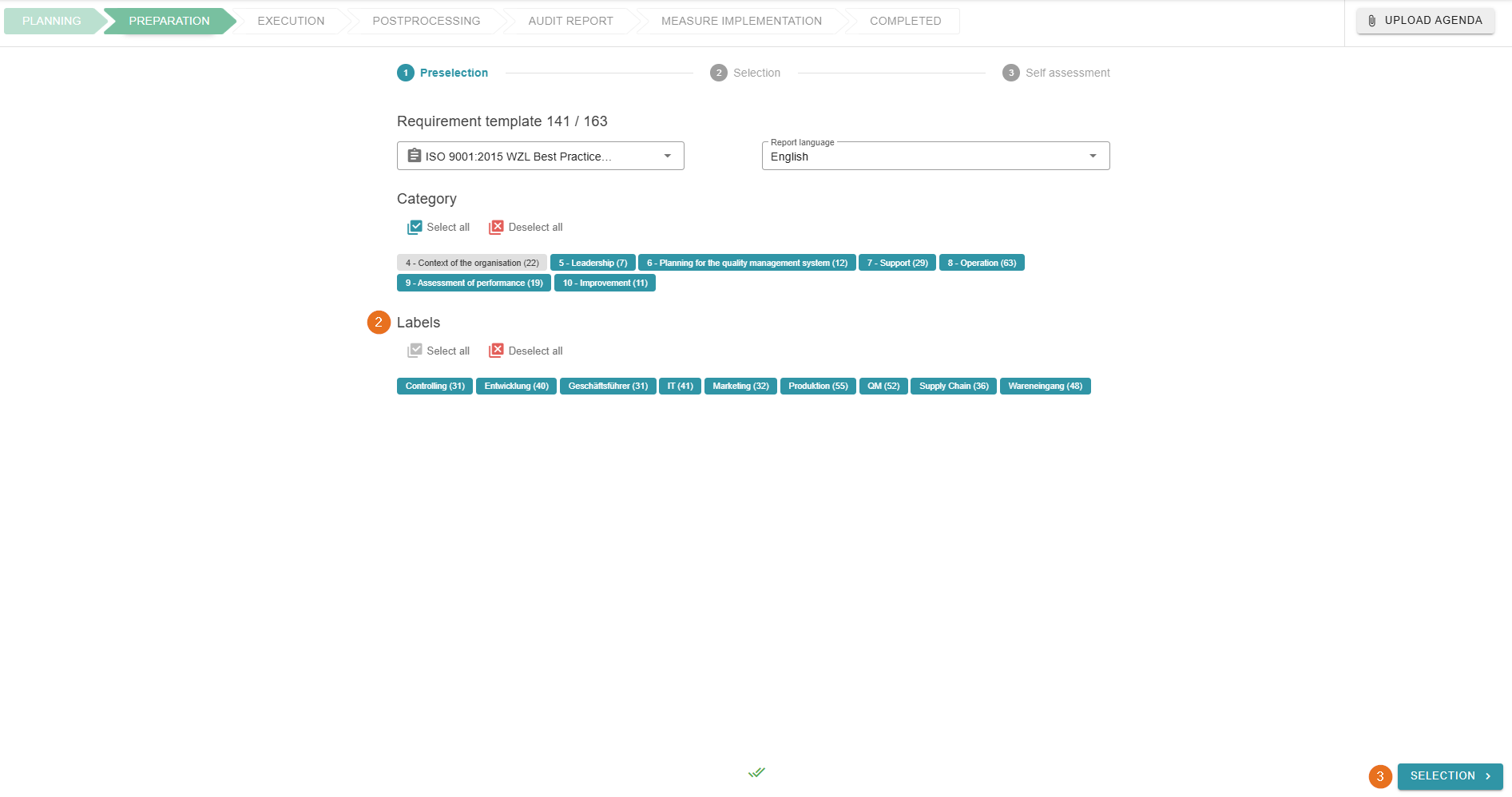
2 - Preselection: Use of labels
Labels are data stored in the question list template that can be filtered. This means that question lists can be prepared quickly and easily for your audit. In the example above, the questions in the “Context of the organization” category are not included in the audit.
3 - Complete pre-selection
Click here to go to the “Selection” step of the audit preparation.