
Using the function head

1 - Self-Assessment/ Checklist
Click on the button to close the self-assessment or to add further users. Further information on the self-assessments can be found under the self-assessment .
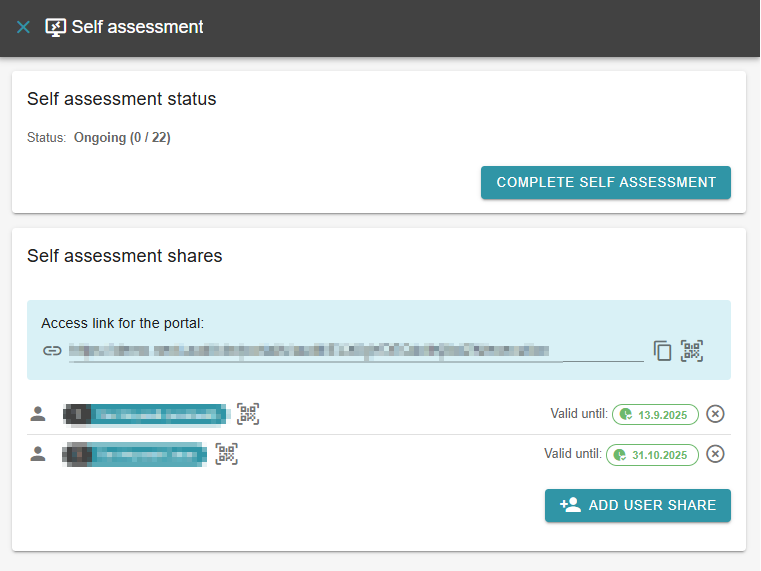
If no self-assessment is carried out, the checklist can be exported here in German or English.
2 - Export checklist or view interim result
If you are carrying out a self-assessment, clicking on the three dots will open a menu where you can download the checklist and view the intermediate result. Otherwise, you can only view the intermediate results of your audit.
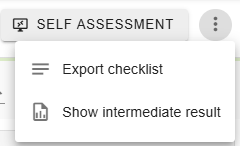
Audits created in the AuditCloud can also be carried out as hybrid audits. A pen-and-paper checklist in PDF format can be called up directly from the AuditCloud.
3 - Search requirements
In the search, the texts of the questions are searched for matches. If a match is found, the matching part is then highlighted.
4 - Filter requirements
You can use the filter button to filter for individual requirements. Possible filters are category, standard chapter, tags or answered or unanswered.
5 - Sort requirements
As with filtering, you can also adjust the sorting in the implementation.
6 - Change language
If your question list is multilingual, use this button to change the display language.