
Edit and create your question lists directly in the AuditCloud. People with the roles of quality manager and administrator can view and edit question lists.
In addition to the manual creation of question lists, question lists can also be imported directly into the AuditCloud via an Excel list. Please contact our support team directly to import such a question list or import yourself as an admin.
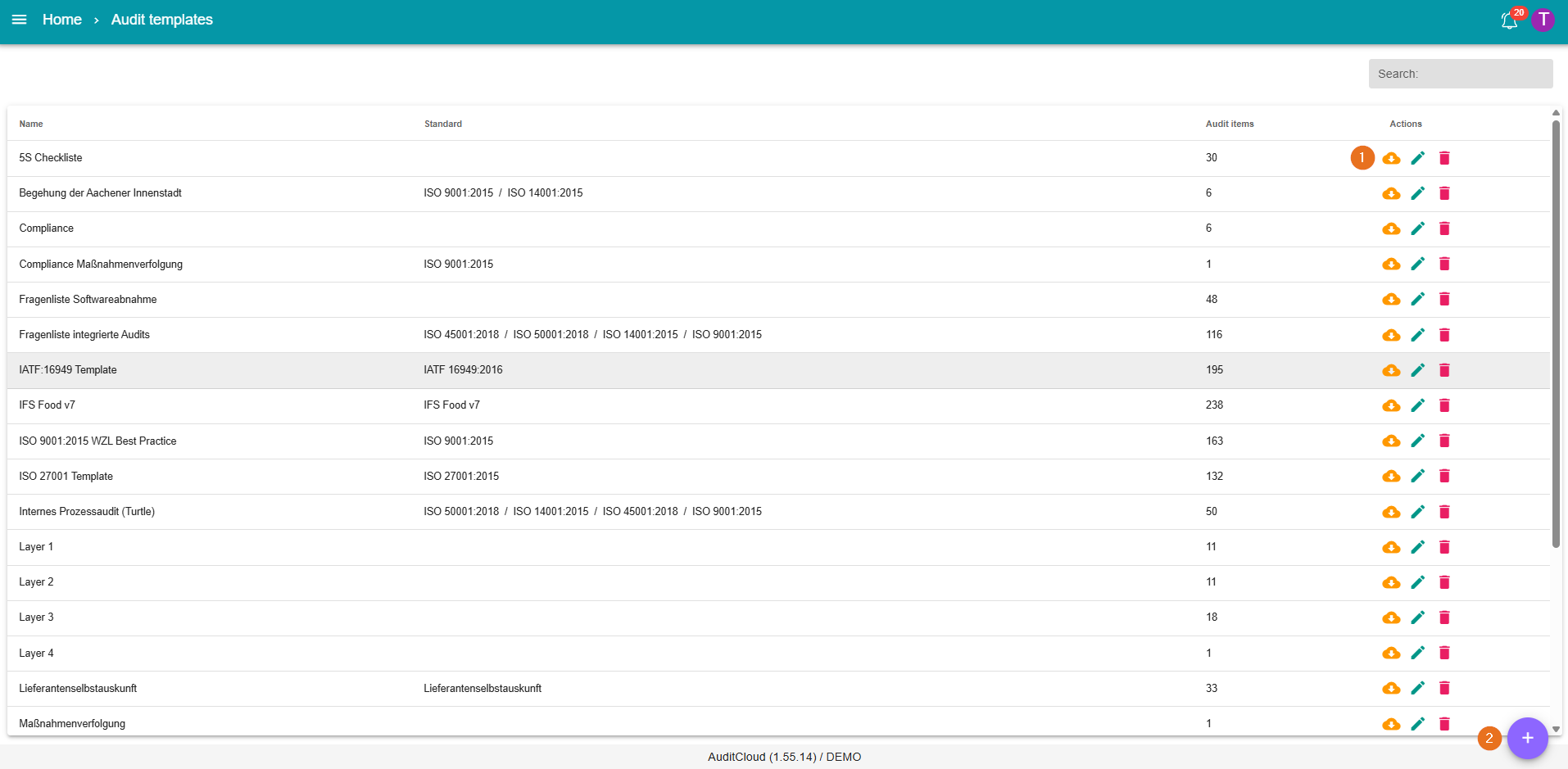
1 - Edit existing question lists
The table shows the existing question lists. The actions available are downloading a question list, editing and deleting.
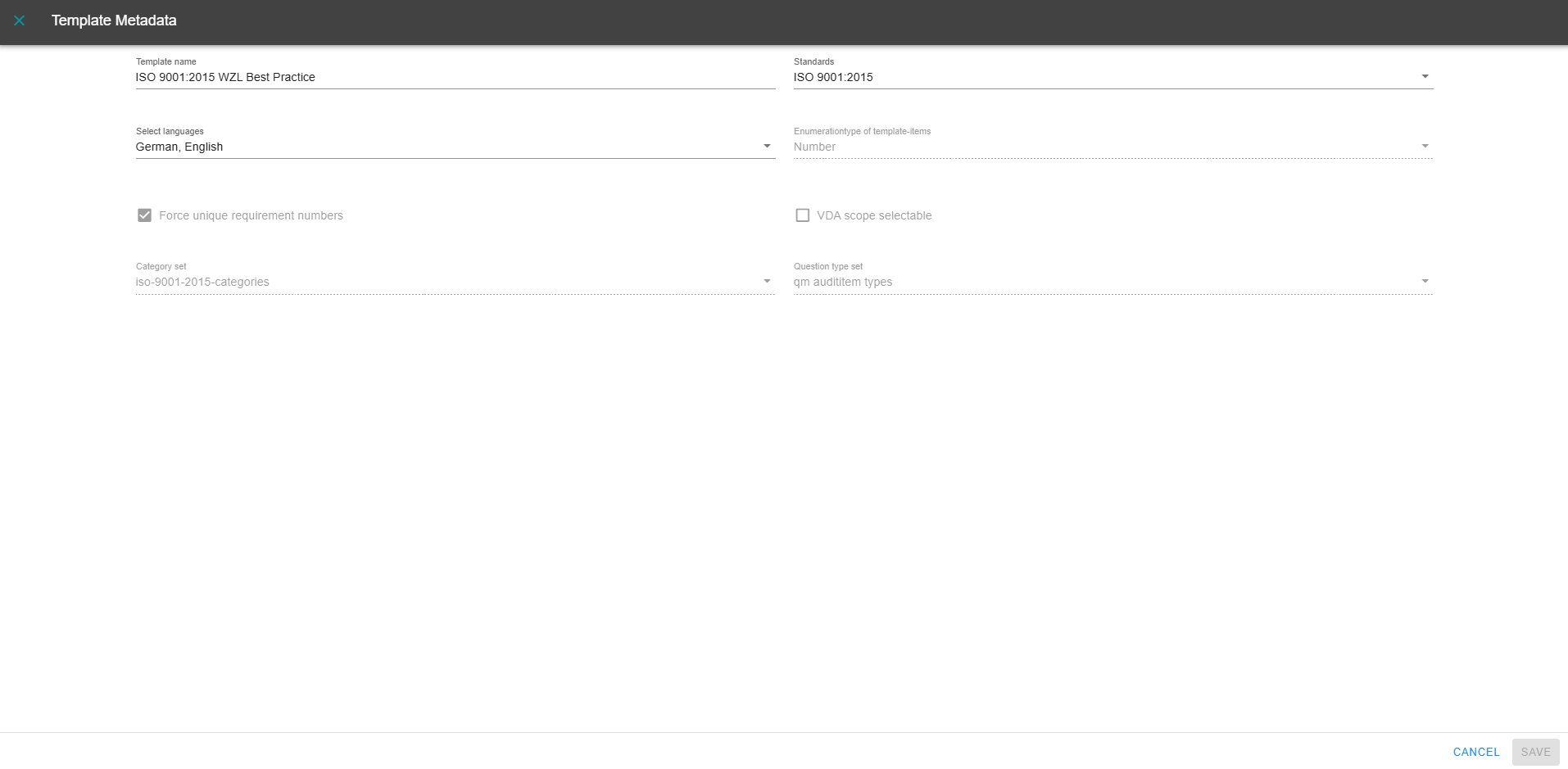
By clicking on the pencil icon, it is possible to edit the metadata of an existing template:
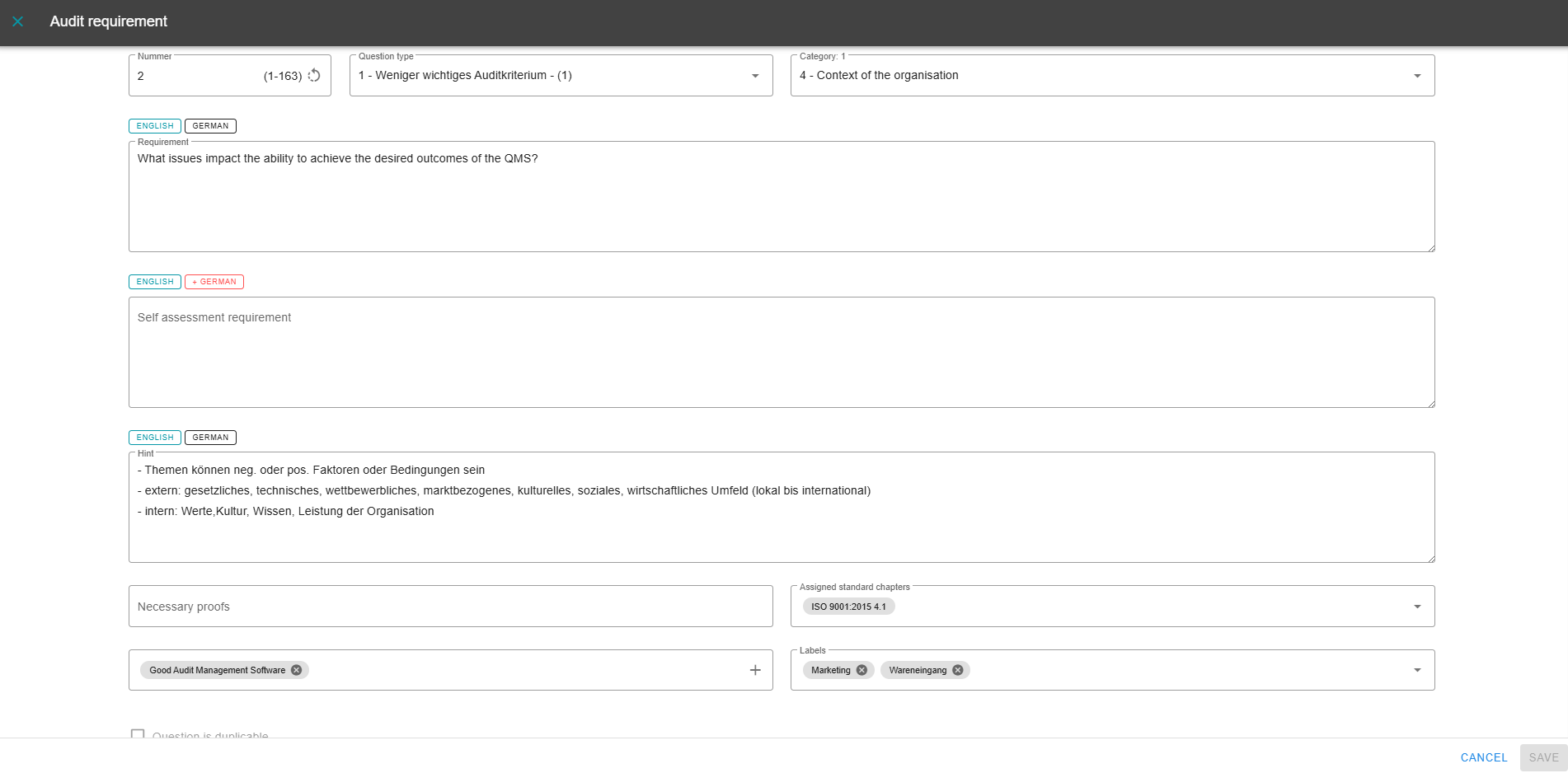
Clicking on a question list opens all the associated questions. Existing questions from a catalog can be deleted or edited here, for example, but new questions can also be added. To add questions, please continue reading at adding questions . By clicking on the pencil icon of a question, you can edit it completely. This includes, for example, the text, the number, the standard chapter or the category:
2 - Create question lists
Question lists/question templates can be created here according to individual requirements. We at nextAudit recommend importing completely new question lists via the Excel list import. However, completely new question lists can also be created in the AuditCloud:
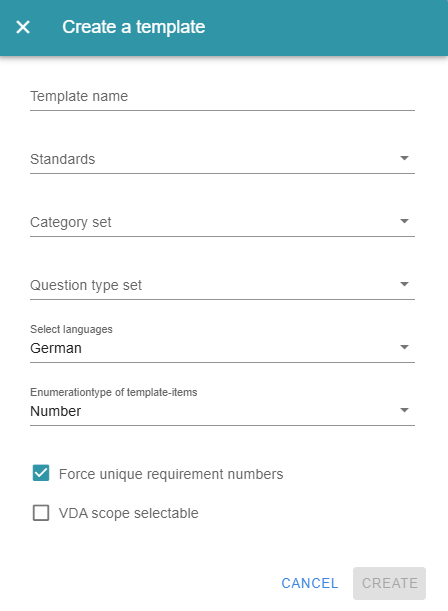
The first step is to assign a template name. If you want to insert standard references, select the relevant standard. You also select the category and question type set. You can then add questions individually.
You can find further information on this under adding questions .